
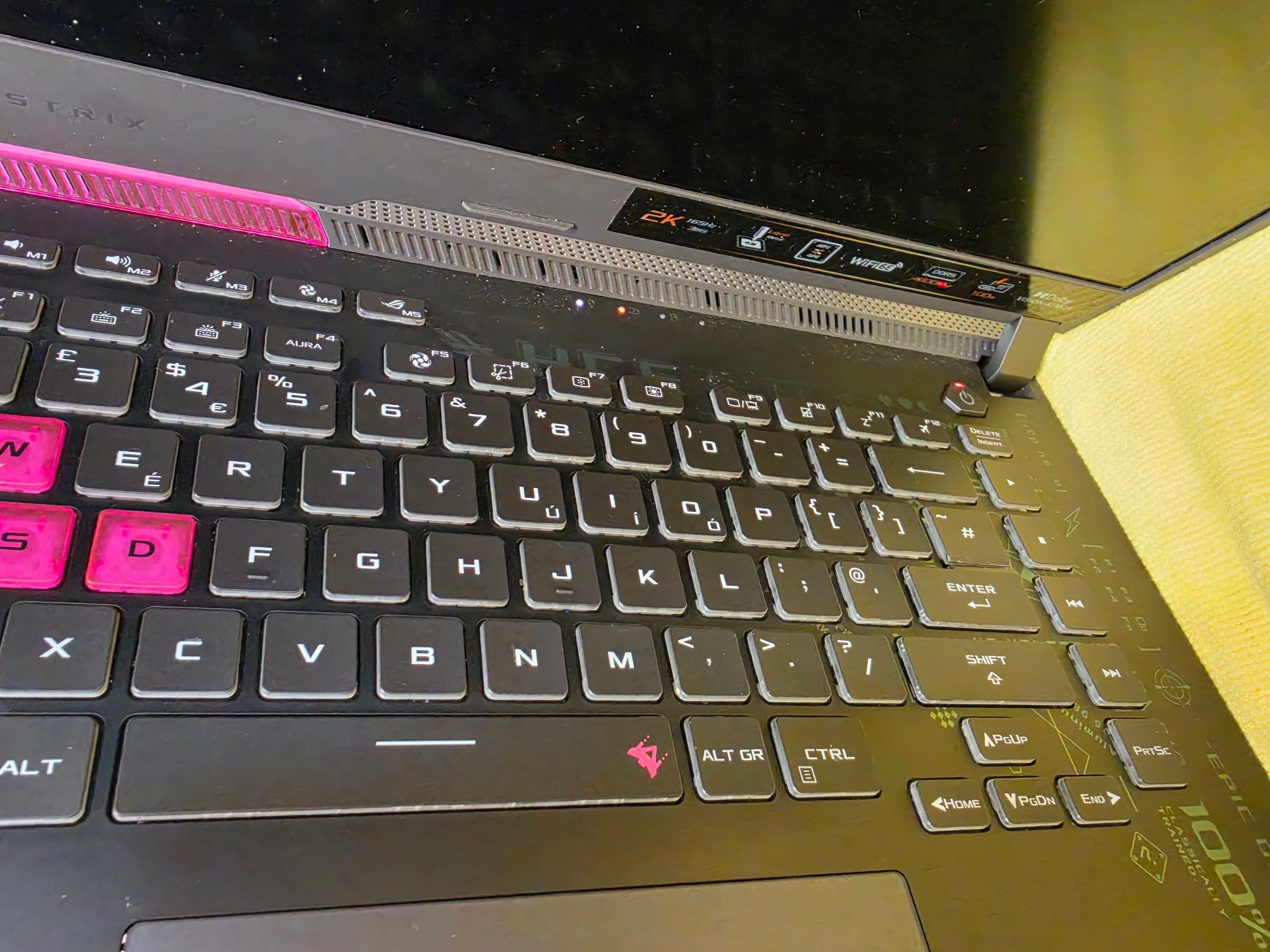
Gaming laptops can suffer from a wide range of power-related faults, and a laptop that appears completely dead does not always mean the motherboard has failed. This Asus G513R gaming laptop came into us with a no power fault, and the customer was unable to get the machine working.
At AC Computer Warehouse in Stockport, we repair and diagnose gaming laptops including Asus ROG, Asus TUF, MSI, Alienware, Lenovo Legion, HP Omen, Acer Predator and other high-performance laptops. This repair is a good example of why proper diagnosis is important before assuming the worst.
The Fault: Asus G513R Gaming Laptop With No Power
When this Asus G513R arrived, it was showing no normal signs of powering on. With no power faults, there are several possible causes, including:
- Faulty charger
- Damaged charging port
- Battery fault
- Motherboard issue
- Shorted component
- RAM fault
- Loose internal connection
- BIOS or power rail problem
Because gaming laptops are more complex than standard laptops, guessing the fault is never the right approach. The first step was to strip the laptop down and carry out proper checks.
Stripping Down the Asus G513R
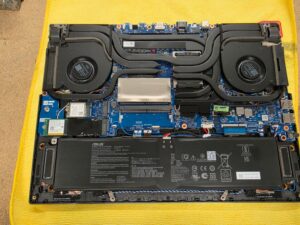
The laptop was stripped down so we could inspect the internal components, battery, motherboard, cooling system, RAM slots and power input area.
Gaming laptops usually have larger cooling systems, dedicated graphics hardware, larger batteries and a more tightly packed internal layout. This makes proper inspection important, especially when dealing with no power faults.
Once opened, the internal layout of the Asus G513R could be checked properly. During the inspection, the issue became clear: one of the RAM modules was not seated correctly.
The Cause: RAM Module Half In and Half Out of the Slot
After inspecting the inside of the laptop, we found that the RAM module was sitting half in and half out of the RAM slot. This can stop a laptop from booting properly and may cause the machine to appear completely dead or fail to start.
RAM needs to be seated firmly and evenly in the slot. If it is loose, angled or not clipped in properly, the laptop may fail its startup checks and refuse to power on correctly.
A badly seated RAM module can cause symptoms such as:
- No power
- No display
- Laptop turning on briefly then shutting off
- Keyboard lights appearing but no boot
- Fans spinning but no image
- Random freezing
- Memory errors
- Intermittent startup problems
In this case, the RAM module was not correctly installed in the slot, which was preventing the laptop from starting normally.
Testing the Charger and Voltage
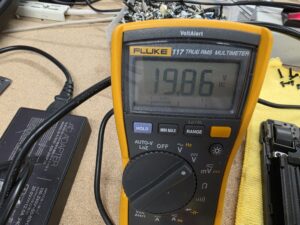
As part of the diagnosis, we also checked that the laptop was receiving power correctly from the charger. The voltage reading showed around 19.86V DC, confirming that the charger input voltage was present.
This helped rule out the charger as the main cause of the no power fault and confirmed that the issue was internal rather than simply a failed power adapter.
Reseating the RAM Module
Once the RAM issue was identified, the module was removed and correctly reseated into the RAM slot. The RAM was fitted firmly and evenly, making sure it locked into place properly.
This is a simple-sounding fix, but it is exactly why proper diagnostics are important. A laptop with no power can sometimes be misdiagnosed as a motherboard failure, when the real issue is a loose or incorrectly seated internal component.
After reseating the RAM, the laptop was tested again.
Successful Power On Test
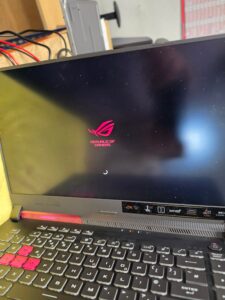
After the RAM module was correctly seated, the Asus G513R powered on successfully and displayed the Republic of Gamers boot screen.
This confirmed that the no power issue had been caused by the RAM not being seated correctly, rather than a failed motherboard, faulty DC jack or charger fault.
Why Proper Diagnosis Matters With Gaming Laptop Repairs
A gaming laptop with no power can look like a serious fault, but the cause is not always obvious from the outside. Without stripping the machine down and testing properly, it would be easy to assume the laptop needed expensive motherboard repair.
Proper diagnosis helps identify whether the fault is caused by:
- Charger or adapter issue
- Battery problem
- Charging port fault
- Loose RAM
- Failed RAM module
- Internal connector issue
- Motherboard short
- Power rail fault
- Liquid damage
- BIOS problem
In this case, the repair was much simpler than it first appeared. The RAM module was not seated correctly, and once this was corrected, the laptop powered on again.
Gaming Laptop Repairs in Stockport
Gaming laptops are often expensive to replace, so it is always worth getting them checked properly before assuming the worst.
At AC Computer Warehouse, we provide gaming laptop diagnostics and repairs in Stockport, including:
- Asus ROG laptop repairs
- Asus TUF laptop repairs
- Gaming laptop no power diagnosis
- RAM fault diagnosis
- No display repairs
- Charging fault checks
- Battery testing
- Motherboard diagnostics
- Overheating repairs
- Fan replacement
- SSD and RAM upgrades
- Windows repair and recovery
If your gaming laptop is not turning on, not charging, showing no display or behaving strangely, we can inspect it and advise whether it is repairable.
Asus G513R No Power Repair Completed
This Asus G513R gaming laptop came in with a no power fault. After stripping the laptop down and carrying out diagnostic checks, we found that a RAM module was sitting half in and half out of the RAM slot.
The RAM was reseated correctly, the laptop was tested, and it powered on successfully.
If you have an Asus gaming laptop, ROG laptop or any gaming laptop with a no power fault, contact AC Computer Warehouse in Stockport for diagnosis and repair advice.
Frequently asked questions
Can loose RAM stop a laptop from turning on?
Yes. If a RAM module is loose, badly seated or faulty, the laptop may fail to start, show no display or appear completely dead.
Why would a gaming laptop have no power?
A gaming laptop may have no power because of a faulty charger, battery issue, charging port fault, loose RAM, motherboard fault, short circuit or internal connector problem.
Can RAM cause a laptop to show no display?
Yes. Badly seated or faulty RAM can cause a laptop to power on with no display, restart repeatedly or fail to boot.
Is a no power laptop always a motherboard fault?
No. A laptop with no power is not always caused by a failed motherboard. It can also be caused by a charger, battery, RAM, charging port or internal connection fault.
Do you repair Asus gaming laptops in Stockport?
Yes. AC Computer Warehouse repairs Asus gaming laptops, including no power faults, no display faults, overheating, charging issues, RAM problems and motherboard diagnostics.
Need Help With an Asus Gaming Laptop Repair?
If your Asus ROG, Asus TUF or other gaming laptop is not turning on, not charging, showing no display or acting strangely, bring it to AC Computer Warehouse in Stockport for proper diagnosis.
We can check the charger, battery, RAM, charging circuit, motherboard and other internal components to find the real cause of the fault before recommending the best repair option.
Need a gaming laptop repair in Stockport?
Contact AC Computer Warehouse today and we’ll be happy to help.