
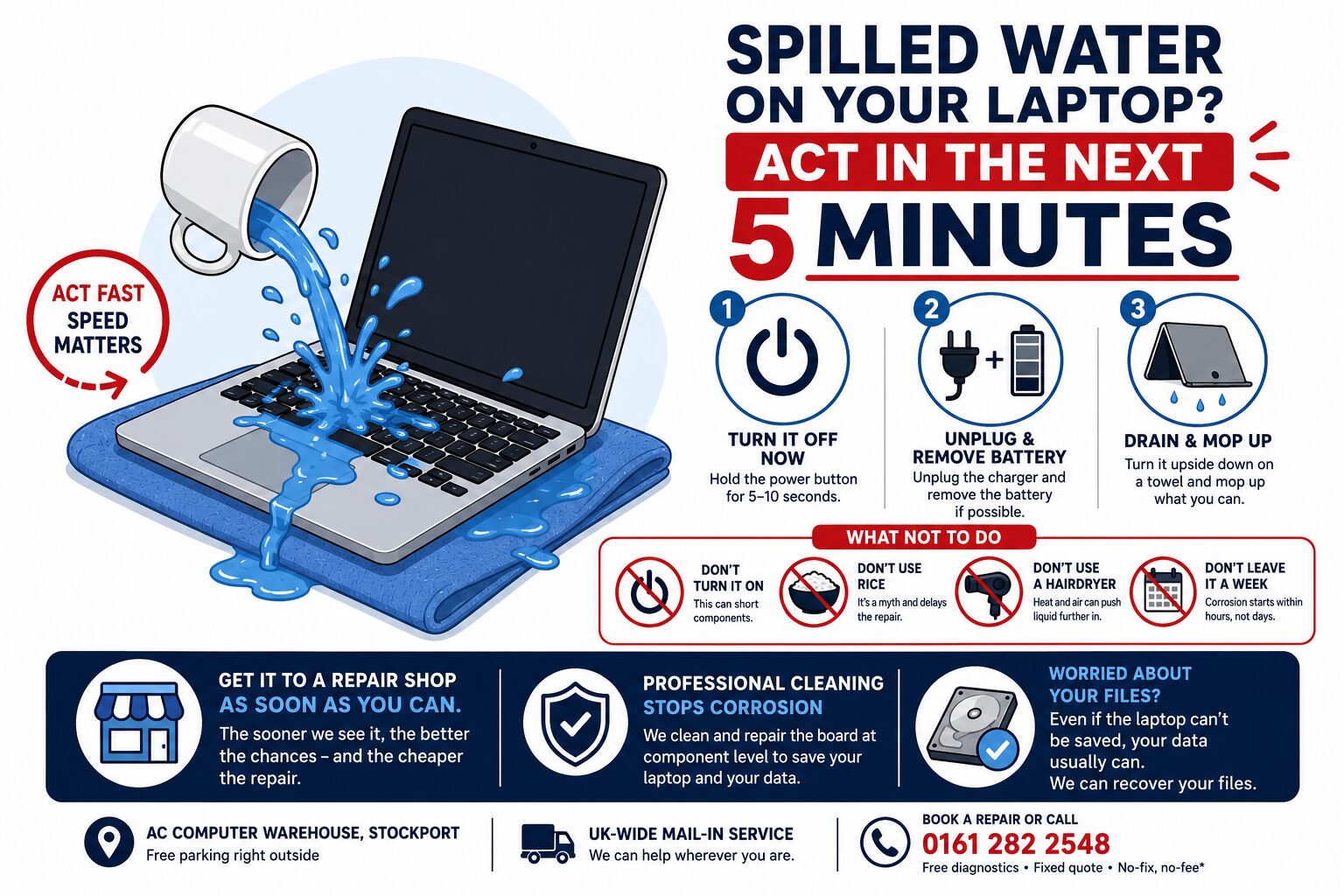
Spilled water on your laptop? Act in the next 5 minutes
If you’ve spilled water on your laptop — or coffee, tea, wine, juice — what you do in the next few minutes genuinely decides whether it survives. Don’t panic, but don’t sit and hope either. Here’s exactly what to do, what not to do, and when to get it to us.
Do this immediately
- Turn it off — properly. Don’t wait for a shutdown menu. Hold the power button for 5–10 seconds until it goes off. Liquid + electricity is what kills components.
- Unplug the charger, and remove the battery if it’s a model that lets you.
- Unplug everything else — mouse, USB sticks, dongles.
- Open it and turn it upside down, like a tent, on a towel. This lets liquid drain out rather than deeper into the board.
- Mop up what you can with a dry cloth — gently, no rubbing.
- Leave it off. This is the hard bit — resist “just checking if it still works.”
Then get it to a repair shop as soon as you can. Speed matters enormously here.
What NOT to do (these make it worse)
- ❌ Don’t turn it on to test it. This is the single most common way a rescuable laptop becomes a dead one. Powering up a wet board shorts components.
- ❌ Don’t put it in rice. It’s a myth. Rice doesn’t pull liquid out of a sealed laptop chassis — it just delays the repair while corrosion gets to work (and leaves starchy dust in your ports).
- ❌ Don’t use a hairdryer. Heat warps components and blows liquid further into the machine.
- ❌ Don’t just leave it a week to “dry out.” Drying isn’t the problem — see below.
Why it’s a race against time
Here’s the bit most people don’t realise: the damage isn’t the water, it’s the corrosion. Even after a laptop looks and feels dry, the residue left behind — especially from anything sugary or acidic, like coffee, juice or wine — keeps eating away at the circuit board for days afterwards.
That’s why “it dried out and seemed fine, then died a fortnight later” is such a common story. The only real fix is to open it up, properly clean the board and stop the corrosion before it destroys components. The sooner that happens, the better the outcome — and the cheaper the repair.
How we repair liquid damage
At our Stockport workshop we:
- Strip it down and assess the real extent of the spill.
- Ultrasonically clean and treat the board, removing corrosion and residue.
- Test and repair at component level — our in-house micro-soldering means we can replace damaged components on the board itself, rather than writing off the whole machine (which is what many shops do).
- Test it thoroughly before it goes back to you.
You’ll get free diagnostics, a fixed quote before any work, and no-fix, no-fee on applicable repairs. We’ll be honest with you — liquid damage outcomes can never be guaranteed, and if it isn’t worth saving we’ll tell you straight rather than take your money.
Worried about your files?
Even if the laptop itself is beyond help, your data usually isn’t. The drive often survives a spill perfectly well, and we can recover your photos, documents and work from it — see our .
Spilled something? Bring it in today
The faster we see it, the better the chances. Pop into AC Computer Warehouse in Stockport (free parking right outside), or use our UK-wide mail-in service.
or call — free diagnostics, a fixed quote, and honest advice.
Frequently asked questions
Can a laptop be saved after a water spill?
Often, yes — especially if it was powered off quickly and brought in fast. The key is getting the board cleaned before corrosion sets in. We’ll assess it free and tell you honestly what the chances are.
Does putting a laptop in rice work?
No — it’s a myth. Rice can’t draw liquid out of a sealed laptop, and the delay lets corrosion do more damage. Power it off, drain it upside down, and get it looked at.
How long can I leave it before bringing it in?
The sooner the better — ideally the same or next day. Corrosion starts working within hours, and sugary drinks like coffee or juice are the most aggressive.
My laptop still works after the spill — do I need to worry?
Possibly. Machines often work for days or weeks and then fail as corrosion spreads. It’s worth having it cleaned properly while it’s still healthy.
Will I lose my files?
Usually not. The drive often survives even when the laptop doesn’t, and we can recover your data from it.