
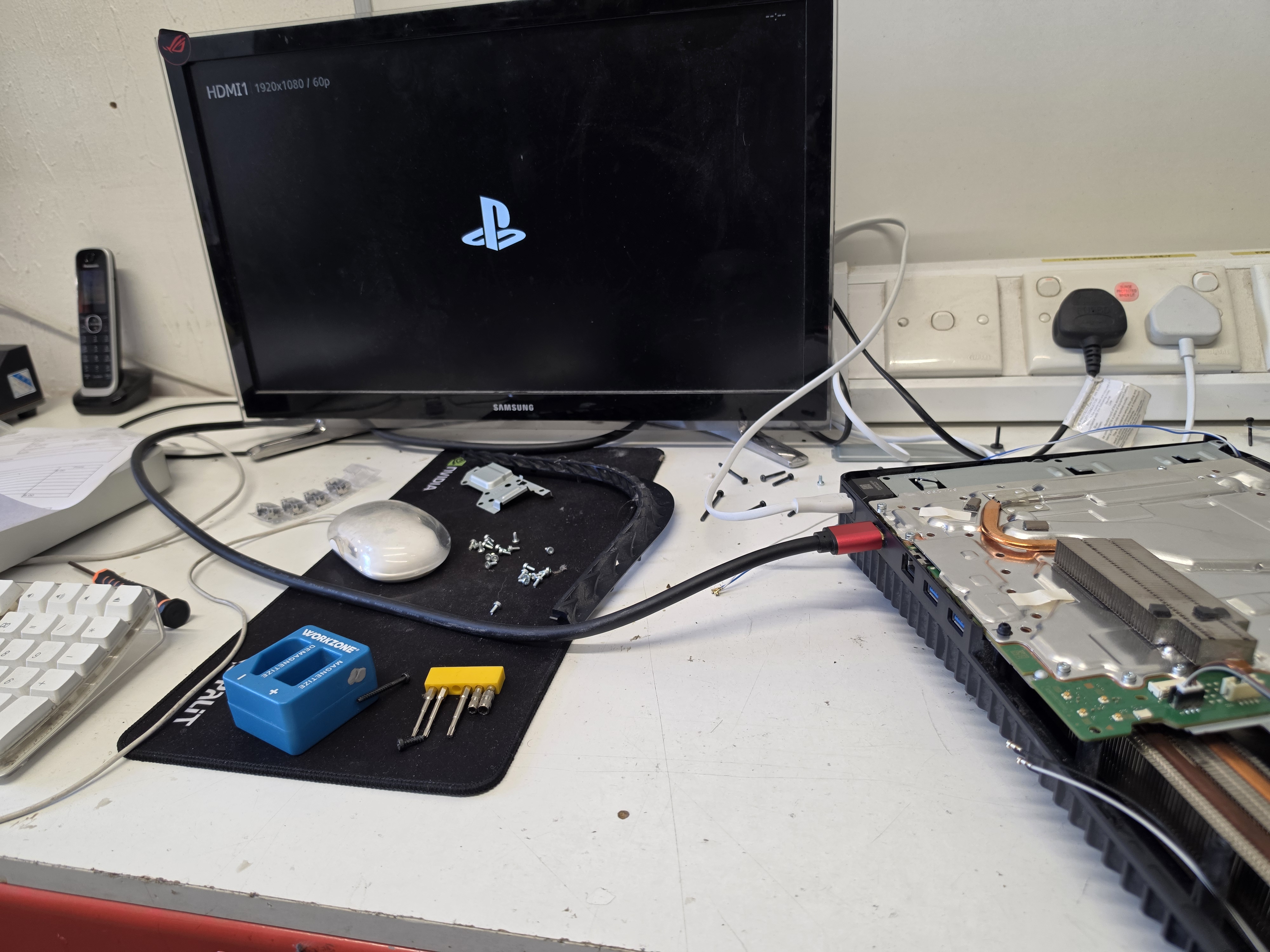
A damaged HDMI port is one of the most common faults we see on PlayStation 5 consoles. The console may still turn on normally, but there is no picture on the television or monitor because the HDMI connection is damaged.
This PS5 came into AC Computer Warehouse in Stockport with a visibly damaged HDMI port. The port needed to be removed from the motherboard and replaced with a new one.
During the repair, the console was fully stripped down, the damaged HDMI port was removed, the solder pads were prepared with fresh solder, a replacement port was fitted, and the liquid metal on the processor was also checked and redistributed before reassembly.
After the repair, the PS5 was tested and displayed correctly again.
The Fault: Damaged PS5 HDMI Port
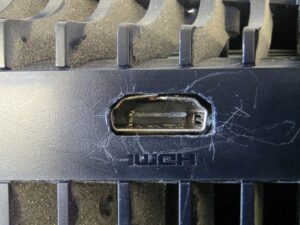
The HDMI port on this PS5 was visibly damaged internally. When the pins inside an HDMI port become bent, broken or pushed out of position, the console may no longer send a video signal to the screen.
Common symptoms of a damaged PS5 HDMI port include:
- PS5 turns on but there is no picture
- Television displays “No Signal”
- HDMI cable feels loose
- Picture cuts in and out
- Display only works when the cable is held at an angle
- Bent or damaged pins are visible inside the port
- Console works normally apart from the display
In this case, the physical damage meant the HDMI port needed to be replaced.
Stripping Down the PlayStation 5
Replacing a PS5 HDMI port requires the console to be stripped down so the motherboard can be removed and worked on safely.
The HDMI port is soldered directly to the motherboard. It has a row of fine signal pins as well as larger mounting points that provide strength and hold the port securely in place.
This is not a repair that can be completed from the outside of the console. The motherboard needs to be removed so both sides of the port area can be accessed properly.
Care also needs to be taken around the PS5 cooling system because the console uses liquid metal between the processor and heatsink.
Removing the Damaged HDMI Port
The old HDMI port was carefully removed from the motherboard.
This stage needs controlled heat and careful handling. Trying to pull the port away before the solder has fully released can damage the motherboard pads or tracks.
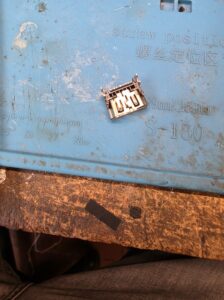
Once the damaged port had been removed, it could be inspected away from the board.
Preparing and Tinning the HDMI Pads
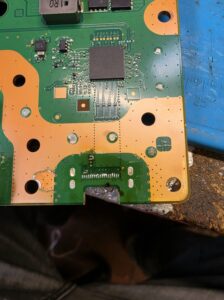
After the old port was removed, the solder pads on the motherboard needed to be cleaned and prepared.
Fresh solder was applied to the pads so the replacement port would have a clean and even surface to connect to. This stage is often referred to as tinning the pads.
Correct pad preparation helps with:
- Accurate port alignment
- Reliable electrical connections
- Stronger solder joints
- Reducing the risk of intermittent display faults
- Ensuring all HDMI pins connect correctly
The fine signal pads are especially important because every pin needs to make a proper connection for the HDMI output to work correctly.
Soldering the New PS5 HDMI Port
Once the pads were prepared, the new HDMI port was positioned on the motherboard.
Alignment is critical during this stage. The fine HDMI pins need to sit directly over their matching pads, while the larger mounting legs need to be secured properly to give the port physical strength.
A poorly aligned port can cause:
- No display
- Flickering picture
- Missing colours
- Low-resolution output
- Intermittent signal
- The port becoming loose again
The replacement port was soldered into place, making sure the pins and mounting points were secure.
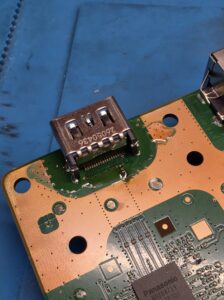
Checking and Redistributing the Liquid Metal
While the console was stripped down, the liquid metal application on the processor was inspected.
The liquid metal had moved and was not spread evenly across the processor surface. It was therefore redistributed before the console was reassembled.
The PS5 uses liquid metal instead of conventional thermal paste to transfer heat from the processor to the heatsink. It needs to remain correctly distributed so the processor can transfer heat effectively.
This stage was carried out carefully because liquid metal is electrically conductive and must remain within the intended processor area.
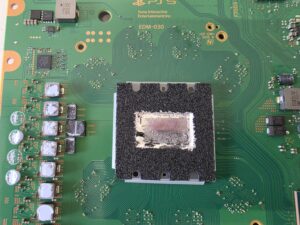
Reassembling and Testing the PS5
After the new HDMI port had been fitted and the liquid metal had been checked, the console was reassembled and connected to a display for testing.
The PS5 successfully displayed the PlayStation startup screen through HDMI, confirming that the replacement port was working correctly.
Testing after an HDMI repair is important because it confirms:
- The television detects the console
- The PS5 outputs a stable picture
- The HDMI pins are connected correctly
- The port is physically secure
- The console starts normally after reassembly
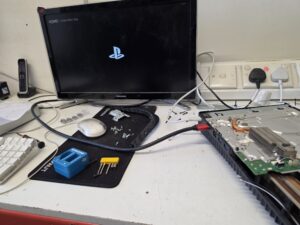
What Causes PS5 HDMI Port Damage?
HDMI ports can become damaged for several reasons.
Common causes include:
- HDMI cable being pulled sideways
- Console being moved while the cable is connected
- Cable being pushed in at an angle
- Console being dropped with the cable inserted
- Repeated forceful plugging and unplugging
- Bent HDMI connector
- Physical impact around the back of the console
The port itself takes a lot of physical stress, especially if the console is moved frequently.
To reduce the chance of future damage, always disconnect the HDMI cable before moving the PS5 and avoid putting sideways pressure on the connector.
Is a PS5 HDMI Port Repair Worth It?
In most cases, yes.
A PS5 with a damaged HDMI port may otherwise be working perfectly. Replacing the HDMI port is usually far more economical than replacing the entire console.
The repair may be suitable when:
- The PS5 powers on but has no display
- The HDMI port is visibly damaged
- The cable feels loose
- The display cuts in and out
- Another HDMI cable and screen have already been tested
- The motherboard around the port is still repairable
If the motherboard pads have also been damaged, additional board repair may be required, but many HDMI port faults can still be repaired successfully.
PS5 HDMI Port Repairs in Stockport
At AC Computer Warehouse, we carry out PlayStation 5 repairs and board-level soldering work from our repair centre in Stockport.
We can help with:
- PS5 HDMI port replacement
- PS5 no display faults
- Damaged HDMI ports
- Loose HDMI connections
- PS5 overheating faults
- Liquid metal inspection
- Power faults
- USB port damage
- Console cleaning and servicing
- Board-level diagnostics
If your PS5 turns on but shows no picture, the HDMI port may be the cause.
PS5 HDMI Port Replacement Completed
This PlayStation 5 came in with a damaged HDMI port and no reliable display output.
The console was stripped down, the damaged HDMI port was removed, the motherboard pads were cleaned and tinned with fresh solder, and a replacement HDMI port was fitted.
The liquid metal was also inspected and redistributed before the console was reassembled.
After testing, the PS5 displayed correctly again through HDMI, confirming that the repair was successful.
Frequently asked questions
Can a damaged PS5 HDMI port be replaced?
Yes. In many cases, a damaged PS5 HDMI port can be removed from the motherboard and replaced with a new port.
Why does my PS5 turn on but show no picture?
A no-picture fault can be caused by a damaged HDMI port, faulty HDMI cable, television input issue, HDMI encoder fault or motherboard damage.
Can bent pins inside a PS5 HDMI port be repaired?
Minor damage may sometimes be repairable, but a badly damaged port normally needs replacing.
How do I know if my PS5 HDMI port is damaged?
The port may feel loose, show bent pins, only work at certain angles or fail to produce any signal even with a known-good cable and display.
Do you repair PS5 HDMI ports in Stockport?
Yes. AC Computer Warehouse provides PS5 HDMI port replacement and console repair services in Stockport.
Need a PS5 HDMI Port Repair?
If your PlayStation 5 turns on but shows no picture, has a loose HDMI connection or has visible damage inside the HDMI port, it may need a port replacement.
At AC Computer Warehouse in Stockport, we carry out PS5 HDMI port repairs and board-level console diagnostics.
Need a PS5 repair in Stockport?
Contact AC Computer Warehouse today and we’ll be happy to help.