
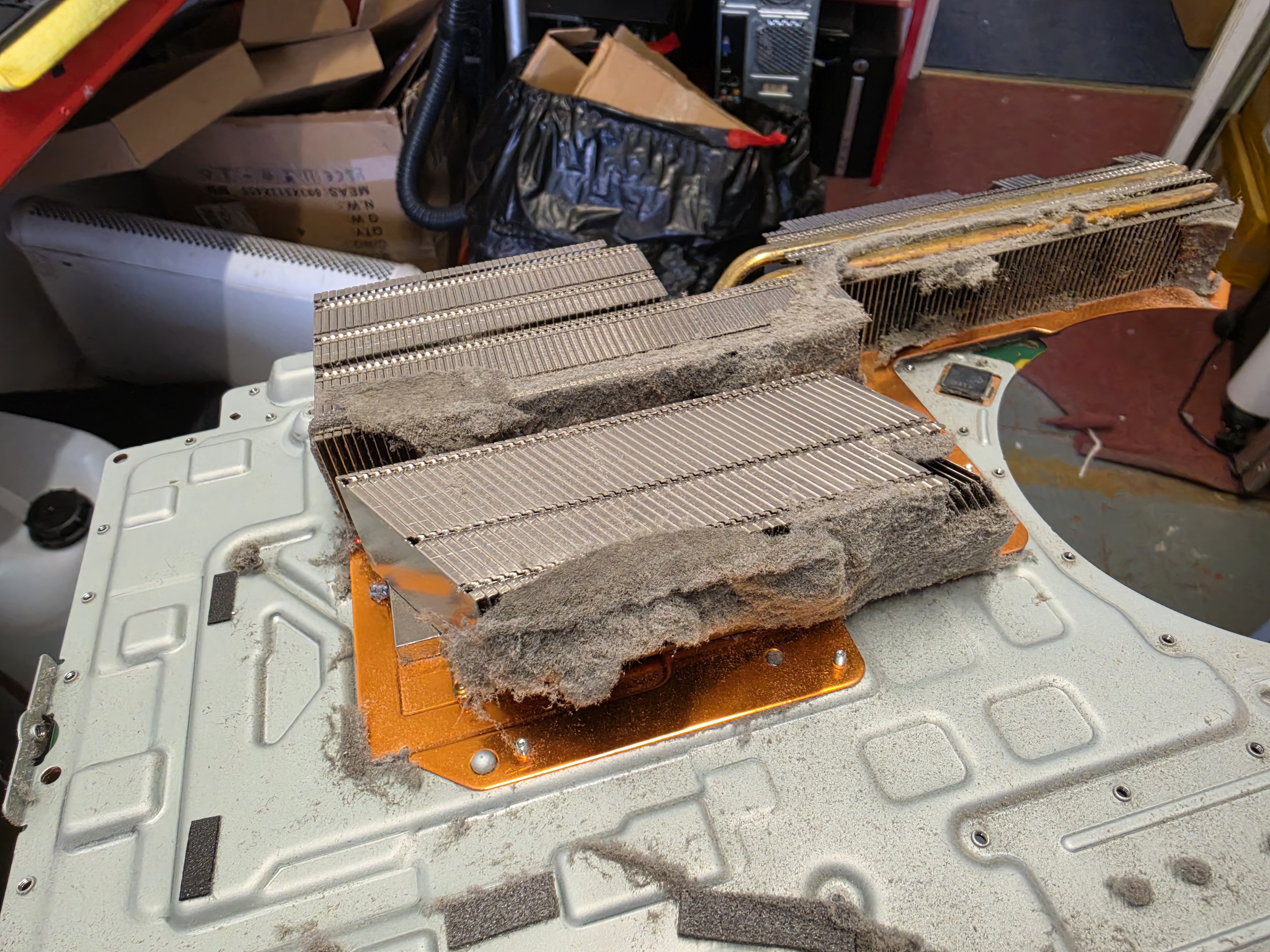
This PS5 came into AC Computer Warehouse in Stockport because it was cutting out due to heat. Once we stripped it down, we found heavy dust build-up in several areas of the console, along with bad oxidation at the liquid-metal interface.
The repair involved a thorough internal clean and attention to the liquid metal. Here’s what we found and the work we carried out, with photos taken throughout the job.
Opening the PS5: dust hidden inside the console
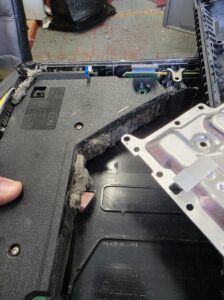
Removing the covers was only the start. Further inside, thick deposits of dust had collected around the power supply housing and internal casing.
We stripped the console down to access the affected areas and remove the accumulated dust. With a build-up like this, cleaning only the outside vents would leave much of the problem untouched.
Inspecting the PS5 liquid-metal interface
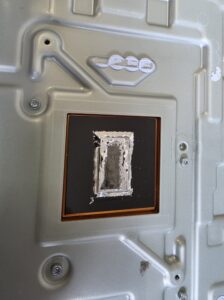
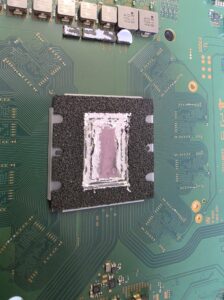
Dust was not the only issue we found. The liquid-metal interface also had bad oxidation, which needed attention as part of the repair.
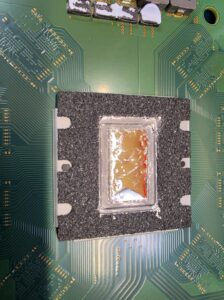
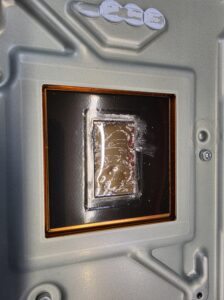
The PS5 uses liquid metal to transfer heat from its main processor to the heatsink. That contact area is an important part of the cooling system, alongside the airflow through the console.
The following photos show the heatsink contact surface and processor side before we addressed the problem.
Addressing the liquid-metal oxidation
We addressed the oxidation at the liquid-metal interface as part of the cooling service. The next two photos show the processor area and corresponding heatsink contact surface during that work.
This PS5 needed attention both to the dust inside the console and to the contact area that transfers heat away from the processor.
PS5 heatsink cleaning: before and after
The heatsink photos show the most striking difference. Before cleaning, thick mats of dust covered large sections of the fin openings. Those spaces need to remain clear so air can pass through the cooling assembly.
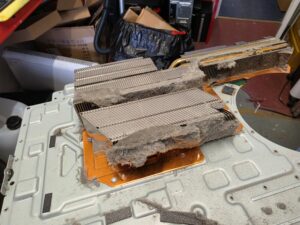
We removed the accumulated dust, exposing the fin openings again. In the after photo below, you can see the same assembly with the heavy build-up cleared away.
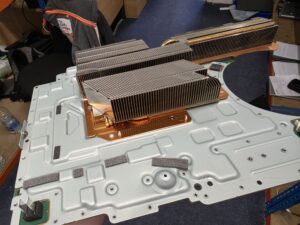
The result: tested and running correctly
This repair involved a full strip-down, removal of dust from multiple internal areas, heatsink cleaning and treatment of the liquid-metal oxidation.
After completing the work, we tested the PS5 and it ran correctly, with no further heat-related shutdowns during testing.
It’s a useful example of why an overheating console needs a careful internal inspection: more than one part of its cooling system can need attention.
PS5 cutting out or overheating in Stockport?
If your PS5 keeps cutting out or is showing signs of overheating, contact AC Computer Warehouse. Tell us what happens, how long the console runs before switching off and whether it displays a temperature warning.
Those details help us understand the fault. The same symptom does not necessarily mean every console needs the same repair.
Visit our Stockport workshop at Unit 13 Kingston Mill (Safestore), Chestergate, Stockport, SK3 0AL, or call 0161 282 2548 to discuss your PS5.