
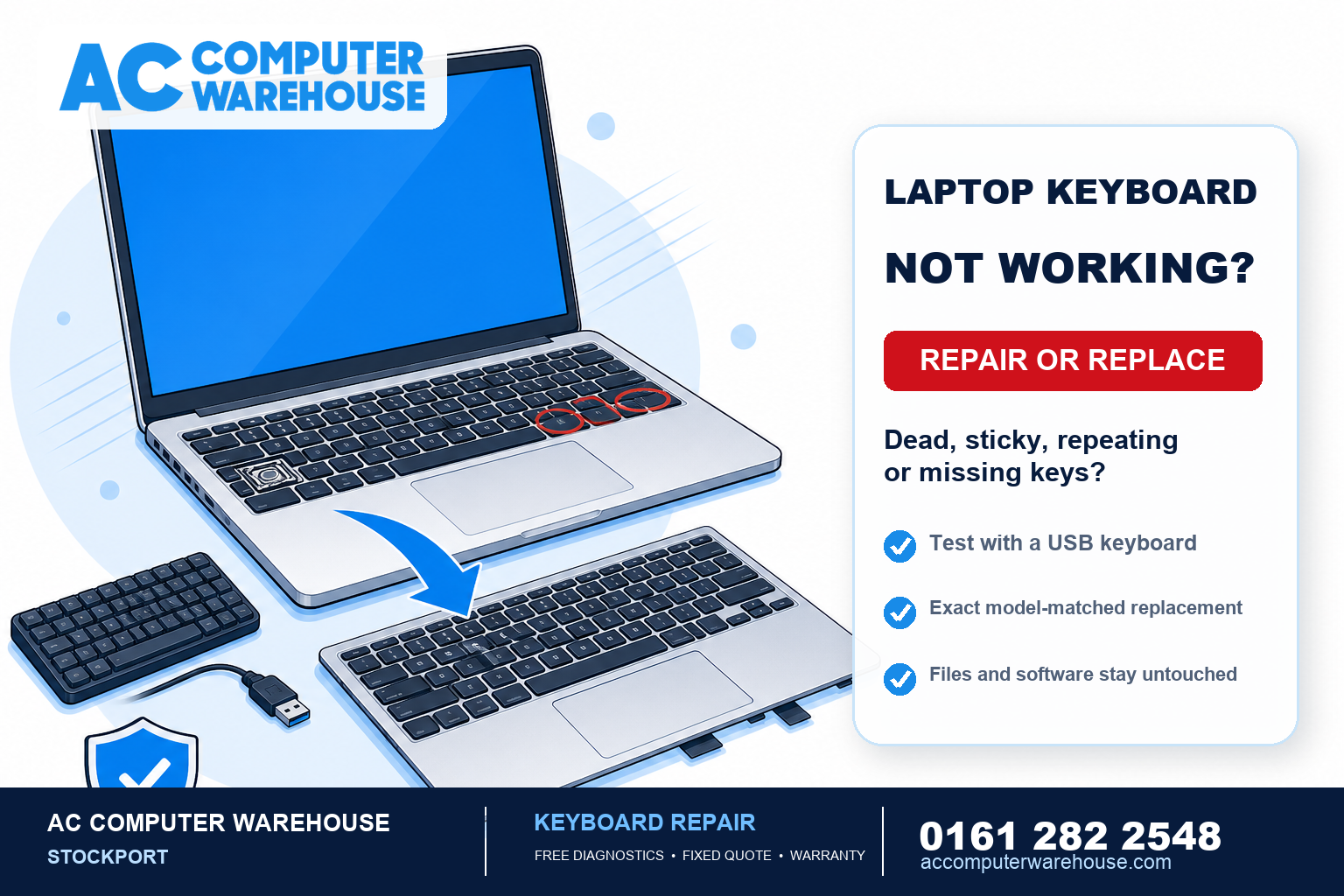
A laptop keyboard that has stopped behaving — dead keys, letters that repeat, a space bar you have to hammer — is one of the most irritating faults there is, because it interrupts everything you try to do. The good news is it’s almost always fixable, and often for far less than people expect. Here’s what causes it, the quick checks worth trying first, and when a laptop keyboard replacement is the answer.
The keyboard problems we see most
- Dead keys. One or a few keys stop registering entirely, while the rest work fine.
- Sticky or repeating keys. A key that sticks down, or types the same letter several times from one press — very often the aftermath of a spilled drink.
- A whole row or section not working. Because keys are wired in a grid, one failure can take out a line of keys at once.
- Missing or loose keycaps. Popped-off keys, or the little clip underneath snapping — common on well-used laptops.
- The entire keyboard dead. Nothing registers at all, which points either at the keyboard’s connection inside or at something deeper.
Quick checks worth trying first
Before you bring it in, a few things are worth ruling out — they can save you a trip:
- Plug in a USB keyboard. This is the most useful test of all. If an external keyboard works perfectly, the laptop itself is fine and the fault is in the built-in keyboard. If the external one also misbehaves, the problem is more likely software or something deeper, not the keyboard.
- Restart the laptop. An occasional glitch after an update can be cleared by a simple reboot.
- Turn it off and tip out crumbs. With the laptop off, tip it upside down and gently brush around the keys — trapped debris is a surprisingly common cause of a single sticky key.
- Check the language setting. If the right keys type the wrong characters (an @ where the ” should be), that’s a keyboard-language setting, not a fault — a quick change in Windows fixes it.
Spilled a drink on it? Act quickly
Sticky or dead keys straight after a spill are a special case. Liquid — especially anything sugary like coffee, tea or juice — corrodes the keyboard and can seep through to the components underneath. Turn the laptop off, don’t keep using it, and get it looked at sooner rather than later, because the damage spreads. We cover the emergency steps in detail in our guide on what to do when you spill water on a laptop.
Is it the keyboard, or something deeper?
That external-keyboard test above is what tells the two apart. If a USB keyboard works, the fix is usually a straightforward keyboard replacement. If it doesn’t, the cause can be a driver problem, a loose internal connection, or — after a spill — damage to the board beneath the keyboard. Every repair here starts with free diagnostics, so we confirm exactly which it is before you pay for anything, rather than replacing a part that was never the problem.
What a laptop keyboard replacement involves
On some laptops the keyboard is a simple clip-in part. On many modern ones, though, it’s built into the top case (the palm rest), so a “keyboard replacement” means swapping that whole assembly — a bigger job, and one worth having done properly so the trackpad and connections all go back correctly. Either way, your drive, your files and your software are untouched: it’s the keyboard that changes, not the computer.
As with screens, matching the exact part matters — the same laptop model can take different keyboards depending on the layout and batch — so we identify the right one before quoting rather than guessing.
Can you keep using it in the meantime?
Usually, yes. If only some keys are affected, a plug-in USB keyboard (or a wireless one) lets you carry on working normally until the repair — handy if the laptop lives mostly on a desk. The exception is a spill: if liquid is involved, keeping the laptop running risks spreading corrosion, so it’s better to stop and get it seen.
Is it worth repairing?
On most laptops, yes. A keyboard is a modest repair and it restores something you use constantly, so if the rest of the machine is sound it’s easily worth doing. It only needs more thought when the keyboard is one of several ageing problems — and in that case we’ll give you an honest view of the whole picture rather than sell you repair after repair.
Laptop keyboard repair in Stockport
We’ve been repairing laptops in Stockport since 2007, for all the major brands — HP, Dell, Lenovo, Acer, ASUS and MSI, plus MacBooks. Every job starts with free diagnostics and a clear, fixed price, most repairs are done within one to three working days, and every one is covered by our workshop warranty. There’s free parking right outside.
Not local? Our mail-in service covers the whole UK. Book a repair, see our laptop repair page, or call 0161 282 2548 and tell us which keys are playing up — we’ll tell you honestly whether it sounds like the keyboard.
Frequently asked questions
Why have some of my laptop keys stopped working?
Usually a fault in the keyboard itself — worn contacts, trapped debris, or liquid damage from a past spill. Plug in a USB keyboard to check: if that works perfectly, the built-in keyboard is the problem and a replacement will fix it.
Can a laptop keyboard be replaced?
Yes. On some laptops it’s a simple clip-in part; on many modern ones it’s built into the top case, so the whole palm-rest assembly is swapped. Either way your files and software are untouched — only the keyboard changes.
I spilled a drink and now keys are sticky — what should I do?
Turn the laptop off, stop using it, and get it looked at quickly. Liquid — especially sugary drinks — corrodes the keyboard and can reach the components underneath, and the damage spreads the longer it’s left.
Will I lose my files if the keyboard is replaced?
No. The keyboard is completely separate from the drive that holds your data. Your files, programs and settings stay exactly as they were.
Can I use my laptop while I wait for the repair?
Usually, yes — a plug-in USB or wireless keyboard lets you carry on as normal if only some keys are affected. The exception is a spill: if liquid is involved, it’s better to stop using the laptop so corrosion doesn’t spread.
How much does a laptop keyboard replacement cost?
It depends on the make and model, since keyboards are specific to each laptop and some are built into the top case. We identify the right part first, with free diagnostics, then give you a clear, fixed price before any work begins.