
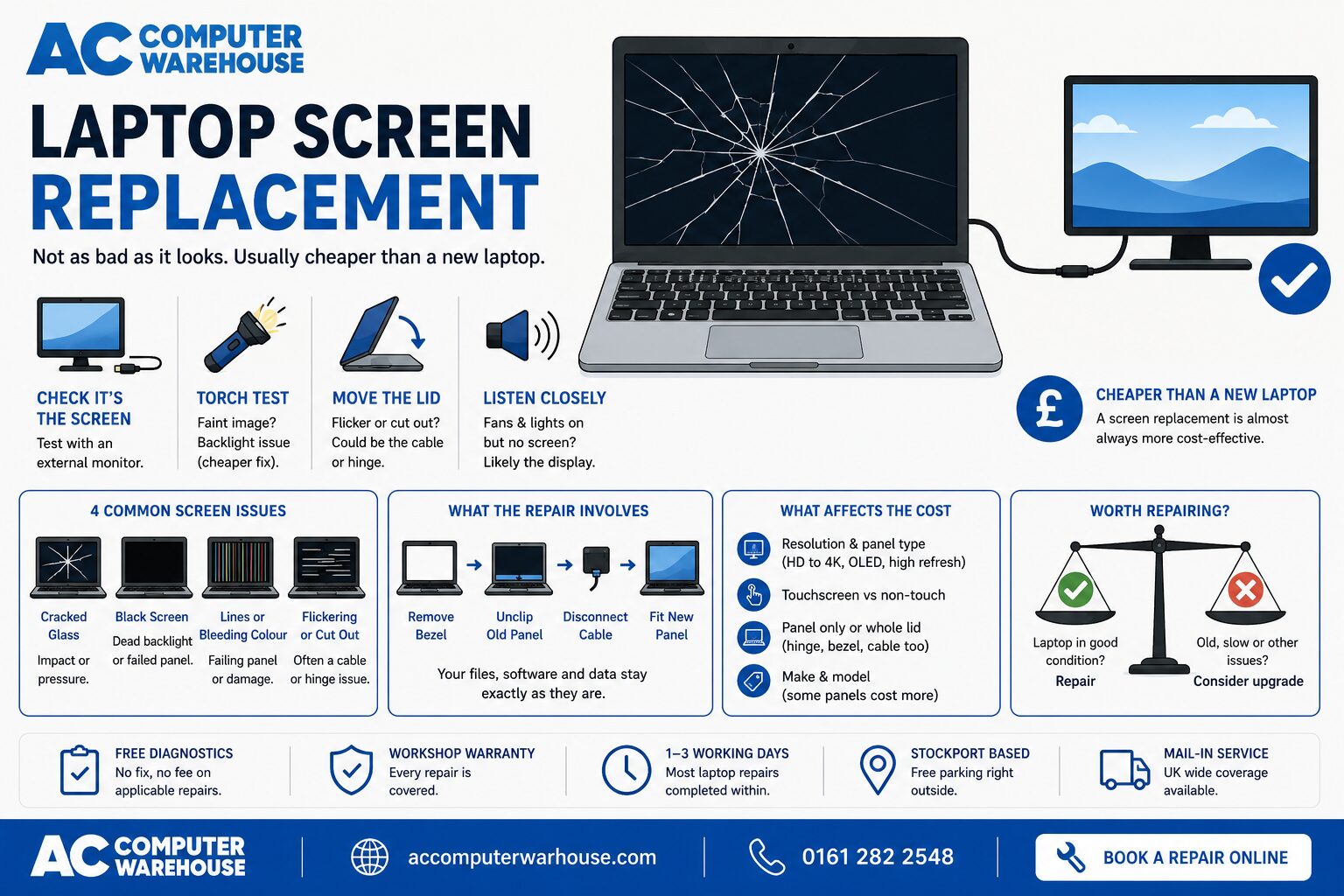
First, check it is actually the screen
This matters, because a black or scrambled display does not always mean a broken panel. It is worth five minutes before you spend anything.-
- Plug in an external monitor or TV using HDMI or USB-C. If the external picture is perfect, the laptop itself is fine and the fault is in the screen, cable or hinge. If the external picture is also broken, the problem is the graphics chip or the board — a different repair entirely.
-
- Shine a torch at the screen at an angle in a dark room. If you can just make out a faint desktop, the panel is working but the backlight has failed. That is often a cheaper fix than a full panel.
-
- Open and close the lid slowly. If the image flickers, changes or disappears at certain angles, it is usually the display cable or the hinge, not the panel.
-
- Listen when you press power. Fans spinning and lights on but nothing on screen points at the display. Complete silence is a different problem — see our guide on what to do when your laptop won’t turn on.
The four kinds of screen damage we see
Cracked or spidered glass. Usually from a knock, a drop, or something left on the keyboard when the lid was closed — a pen or a USB stick is enough. The crack spreads over time as the lid flexes. Black screen with the laptop still running. Either a dead backlight or a failed panel. The torch test above tells the two apart. Lines, bars or bleeding colour. Vertical or horizontal lines that never move are a failing panel. Patches of colour that spread like ink are physical damage, even when the glass looks intact. Flickering or an image that cuts out. Often the display cable being worn through by the hinge rather than the screen itself. Caught early this is a much smaller job, which is a good reason not to leave it.What a laptop screen replacement actually involves
The panel is a separate part from the rest of the laptop. On most machines we remove the bezel, unclip the damaged panel, disconnect the display cable and fit a new panel of the same size, resolution and connector type. Your drive, your files and your installed software are untouched — it is the display, not the computer, that changes. Matching the part is the fiddly bit. Two laptops with the same model number on the bottom can take different panels depending on the batch, the resolution and whether the original was touch-enabled. That is why we identify the exact panel before quoting rather than guessing from the model name.What affects the cost of a laptop screen replacement
We are not going to print a single price, because the honest answer is that it depends on the panel — and anyone quoting you a firm figure before identifying yours is guessing. What moves the price:-
- Resolution and panel type. A standard HD panel is the least expensive. Full HD, 4K, high refresh rate, OLED and colour-accurate panels cost more, because the parts do.
-
- Touchscreen or not. Touch panels are bonded assemblies and are consistently dearer than a plain panel.
-
- Panel only, or the whole lid. If the hinge, bezel or cable is damaged too, that is more parts and more labour.
-
- Make and model. Common HP, Dell, Lenovo, Acer and ASUS panels are widely available. Slimline ultrabooks and MacBook Retina assemblies are built differently and priced differently.
Can you keep using a laptop with a cracked screen?
For a short while, usually — but it tends to get worse rather than settle. Cracks spread every time the lid flexes, and a panel that is weeping colour today can be entirely black next week. Broken glass along the edge can also work into the display cable and the hinge, which turns a panel job into a bigger one. If you need the machine in the meantime, run it on an external monitor. It keeps you working and puts no further strain on the damaged lid.Screen replacement, or a different laptop?
Our honest position: if the laptop is otherwise sound, a screen replacement is nearly always worth it. The panel is a consumable part and the rest of the machine — processor, memory, drive, your files and setup — carries on exactly as before. The calculation changes if the laptop is already slow, the battery is finished, or it is old enough that other parts are close behind. In that case we will say so rather than sell you a repair. We cover this properly in is your laptop worth repairing, and if the answer turns out to be no, a refurbished laptop is usually better value than a cheap new one.Laptop screen replacement in Stockport
We have been repairing laptops in Stockport since 2007, for all the major brands — HP, Dell, Lenovo, Acer, ASUS and MSI, plus MacBooks. Most laptop repairs are completed within one to three working days, every job is covered by our workshop warranty, and there is free parking right outside the workshop. Not local? Our mail-in service covers the whole UK. Book a repair, see our laptop repair page, or call 0161 282 2548 and describe what you are seeing — we will tell you honestly whether it sounds like the screen.Frequently asked questions
Can I use a laptop with a cracked screen?
Usually yes, for a while — but cracks spread as the lid flexes, and broken glass can damage the display cable and hinge underneath. If you need the machine before it is repaired, use an external monitor.
How long does a laptop screen replacement take?
Most laptop repairs are completed within one to three working days. The main variable is parts: common panels are quick, while unusual resolutions, touch panels and some ultrabook assemblies take longer to source.
How much does a laptop screen replacement cost?
It depends on the panel — resolution, whether it is touch, and whether the hinge or cable is damaged too. We identify the exact panel first, with free diagnostics, then give you a fixed price before any work starts.
Will I lose my files during a screen replacement?
No. The screen is a separate part from the drive that holds your data. Your files, programs and settings are exactly as you left them.
My screen is black but the laptop sounds like it is running — is that the screen?
Often, yes. Plug in an external monitor: a good picture there means the laptop is fine and the fault is in the screen, cable or backlight. If the external picture is also faulty, it points at the graphics chip or the board instead.
Do you replace MacBook and touchscreen laptop screens?
Yes to both. They are built differently to a standard panel and priced accordingly, which is why we identify the exact assembly and quote before starting.